Choosing a drone used to be a fairly straightforward question of what you wanted more, be it image quality, portability, stability, speed, or something that simply wouldn’t make your bank account quiver.
This was the case till DJI decided to throw their 360° capture goodness into the FPV mix.
The DJI Avata 360 isn’t just another new drone with a slightly shinier badge and a few spec-sheet upgrades for everyone to pretend they fully understand. It’s DJI’s attempt to rethink how FPV shooting works altogether, combining immersive drone flying with 360° capture that lets you decide your final frames, even after the flight is long over.
That sounds like cheating to some, but as someone who’s watched enough drone operators squint at their screen like they’re defusing a bomb mid-air, it also sounds like the obvious next step in drone tech.
For this review, Leo, DANAMIC’s photographer and resident drone operator, took the DJI Avata 360 out for a side-by-side field test with the DJI Avata 2 as a familiar benchmark. Both were flown during the same test session, paired with DJI Goggles 3 and the DJI FPV Controller 3, so this is less “we read the brochure from start to end” and more “we actually took it out and saw what’s the difference”.
And the biggest change isn’t just what the Avata 360 can capture for you. It’s how it changes the way you fly.
Design And Build: Same Family, New Set Of Eyes

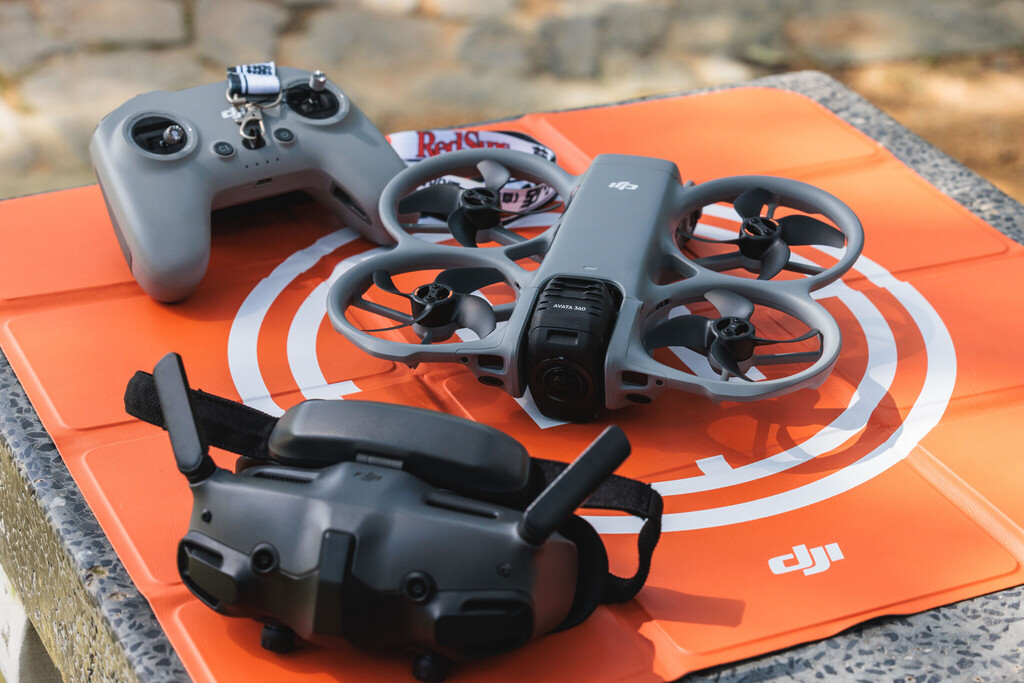
First glance, the DJI Avata 360 very clearly belongs to the Avata family. The compact FPV form factor is familiar, the integrated prop guards are still there, and despite the upgrades it doesn’t immediately scream “new species of drone” when placed beside its earlier Avata counterparts.
That familiarity matters. For existing Avata users, there’s a sense of continuity here. You’re not picking up something that feels alien just because the camera system has changed. The body still feels approachable, the handling still sits within DJI’s FPV comfort zone, and the overall package gives fans something recognisable before asking them to relearn how they shoot.
But once you remember that the camera is capturing everything around it, your mindset starts to shift.
With most traditional FPV drones, you’re actively composing the shot during flight. You’re thinking about where the subject is, how the frame looks, where the drone’s moving and whether your very expensive flying camera is about to become a cautionary IG story.
With the Avata 360, Leo found himself thinking less about the exact camera direction, and more about the flight path itself.
And that’s the key difference. Older FPV workflows reward precision in the air. The Avata 360 gives you more room to decide later, which can be a blessing if your flight path was good, but your framing wasn’t.
Specifications: The Degrees Of Difference
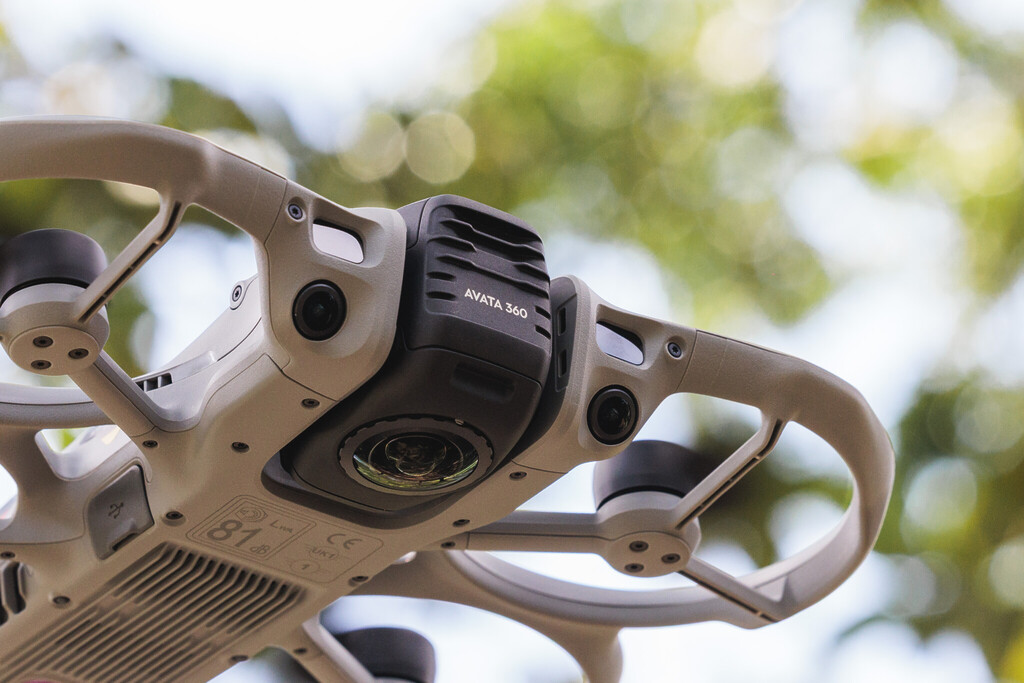
The standout hardware addition is, naturally, the dual-lens 360 camera system.
In 360° mode, the drone uses 1-inch-equivalent sensors to record 8K/60fps HDR video and shoot 120MP photos. The larger sensor setup and 2.4μm pixels are meant to better preserve detail, dynamic range, highlights and shadows, which matters when you’re flying through spaces where lighting can change quickly.
It can also switch to Single Lens mode for classic Avata-style filming in 4K/60fps, useful when you don’t need the full 360 workflow, and just want a more conventional FPV output.
Beyond imaging, the Avata 360 comes with O4+ video transmission, supporting a 1080p/60fps live feed and a stated range of up to 20km under ideal conditions. You also get omnidirectional obstacle sensing, integrated propeller guards, up to 23 minutes of flight time, and 42GB of internal storage, which DJI says can hold around 30 minutes of 8K 360 video without needing a microSD card.
On paper, that’s a lot to take in. In practice, the big question isn’t whether the numbers sound impressive. It’s whether those numbers actually change what you can do after take-off.
Flying Experience: Capture First, Panic Less Later

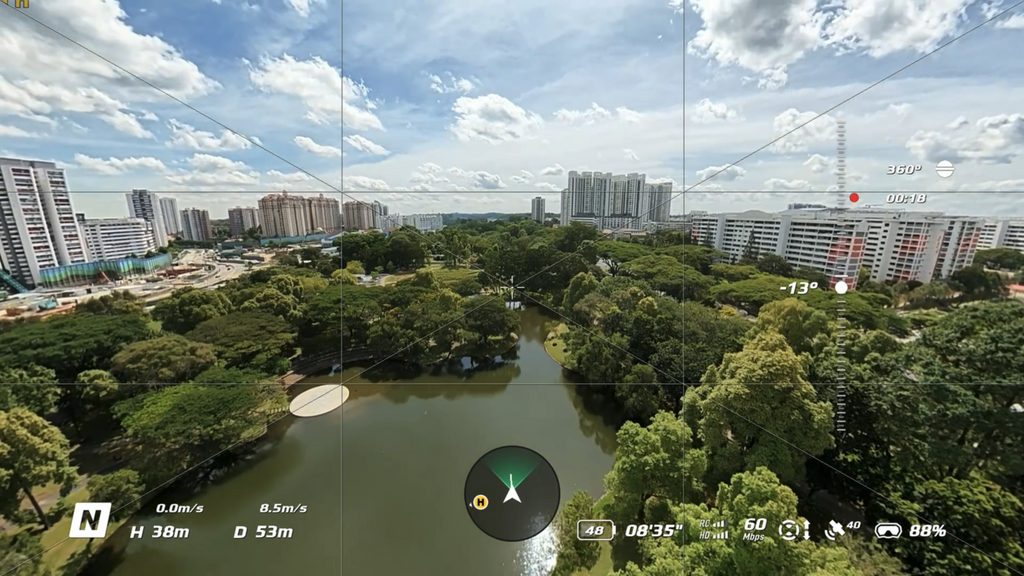
The DJI Avata 360’s core promise is simple: capture first, frame later.
Normally, FPV flying demands a lot of attention. You’re piloting, keeping the subject in mind, watching your movement, reading the environment and trying to make sure the shot looks right while everything’s happening in real time. That’s a lot for one brain, even before wind, trees or overconfidence enter the chat.
With the Avata 360, Leo found the flying experience more relaxed than expected. Instead of taking multiple attempts while obsessing over whether the subject was perfectly centred, he could focus on smoother movement, safer flying and the overall path of the drone.
And this made a bigger difference than expected.
There were moments during testing where the framing wasn’t exactly what he wanted in-flight, but because the drone had captured everything around it, he could reframe the perspective later and still salvage the clip.
On a standard FPV drone, those shots would likely have gone straight into the “we pretend this never happened” folder, also known as the Trash.
Visuals: More Than Meets The Eye
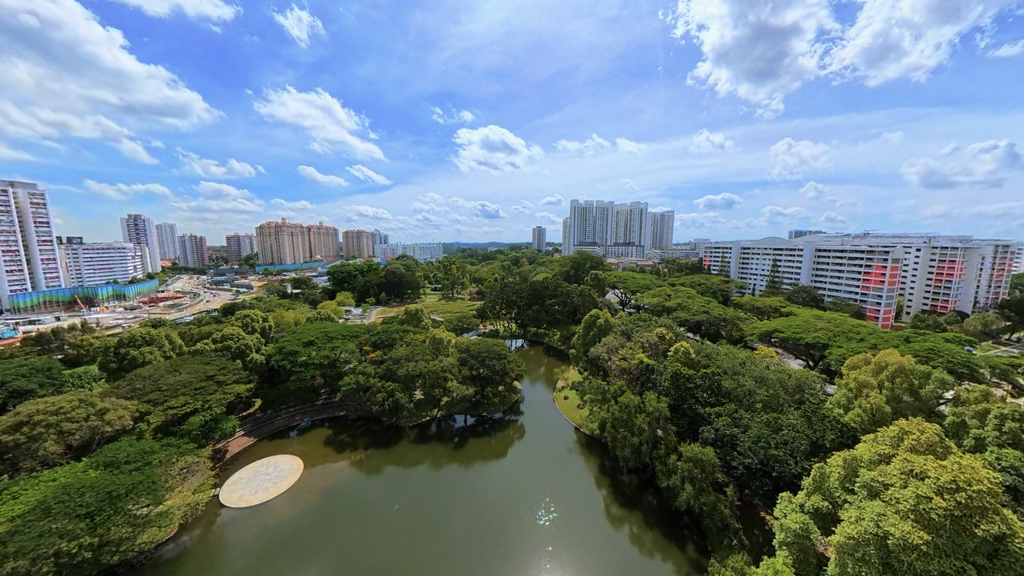
The creative upside of the DJI Avata 360 is that one flight path can become an array of shots.
For example, you can take a forward-facing movement and turn it into a side-tracking shot, a rear-follow shot or a more dynamic perspective that wasn’t manually framed or even thought about during the flight. That’s a huge shift, especially for travel creators, solo operators and social-first filmmakers who may not get a second chance to fly the same route.
This is also where features like GyroFrame, Virtual Gimbal, Spotlight Free, ActiveTrack 360°, Intelligent Tracking and FPV-style post effects start to make more sense. The Avata 360 is designed around the idea that your footage isn’t locked the moment you land. You can keep shaping it afterwards through DJI Fly and DJI Studio.
For creators working across TikTok, Instagram Reels, YouTube Shorts and horizontal formats, that flexibility’s particularly useful. A single good flight can potentially become several deliverables, with multiple crops and perspectives for different platforms.
That isn’t just convenience we’re talking about. It’s efficiency. It may save you from having to fly, re-fly and re-fly again while the sun starts to disappear and everyone on set starts silently resenting you.
Workflow: More Layers, More Possibilities

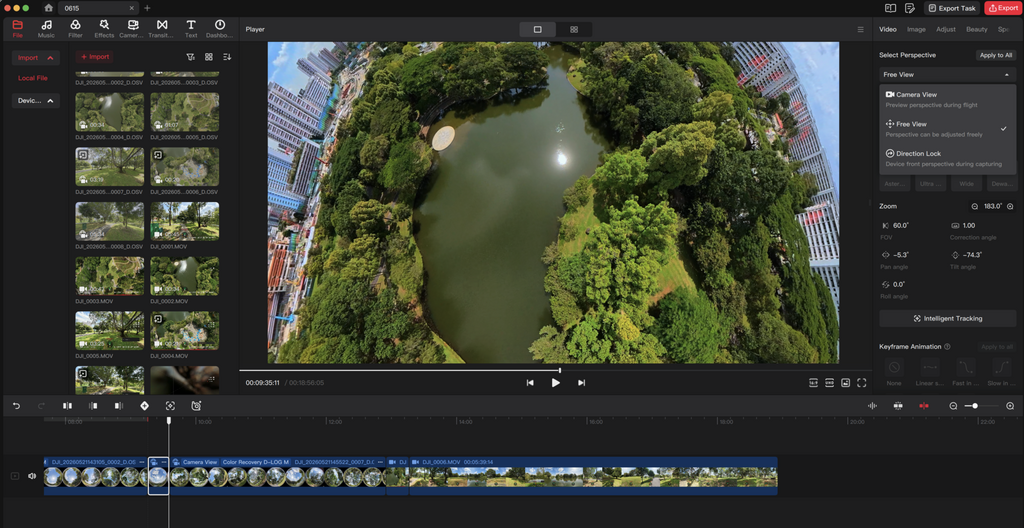
The Avata 360’s flexibility does mean your editing process becomes more layered, but that isn’t necessarily a bad thing.
With standard FPV footage, what you shot is mostly what you have. You drop it into the timeline, trim it, colour it, stabilise where needed and move on. With the Avata 360, there’s more decision-making after the flight. You’ll review the footage, pick perspectives, set camera movements, reframe clips and export the angles you actually want to use.
That adds time, yes, but it also adds potential.
You’re not just editing one fixed clip, you’re deciding what that clip can become. For projects where you need multiple outputs, alternate crops or a more flexible visual story, that’s a fair trade.

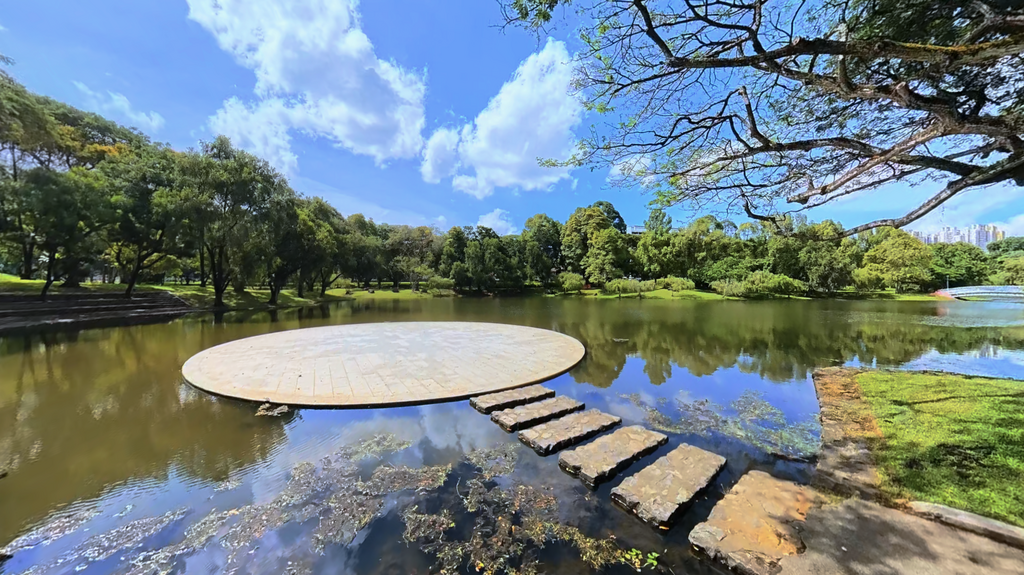
There are still limits, of course. File sizes are larger, and if you crop too aggressively into reframed footage, you can lose detail. Leo found that the raw 360 footage looked impressive, and normal reframing held up well. For social media, it’s more than good enough. For professional work, it can absolutely be used, but with a bit more judgement.
He also noticed occasional softness and some stitching artefacts in challenging scenes, though nothing that completely ruined a shot.
So yes, the Avata 360 gives you more creative freedom. Just don’t confuse “I can reframe this later” with “I no longer need to think at all”. The drone gives you more options, but you still should be looking to fly with intention for your own benefit later.
Performance: Ideal When Flexibility Is A Necessity
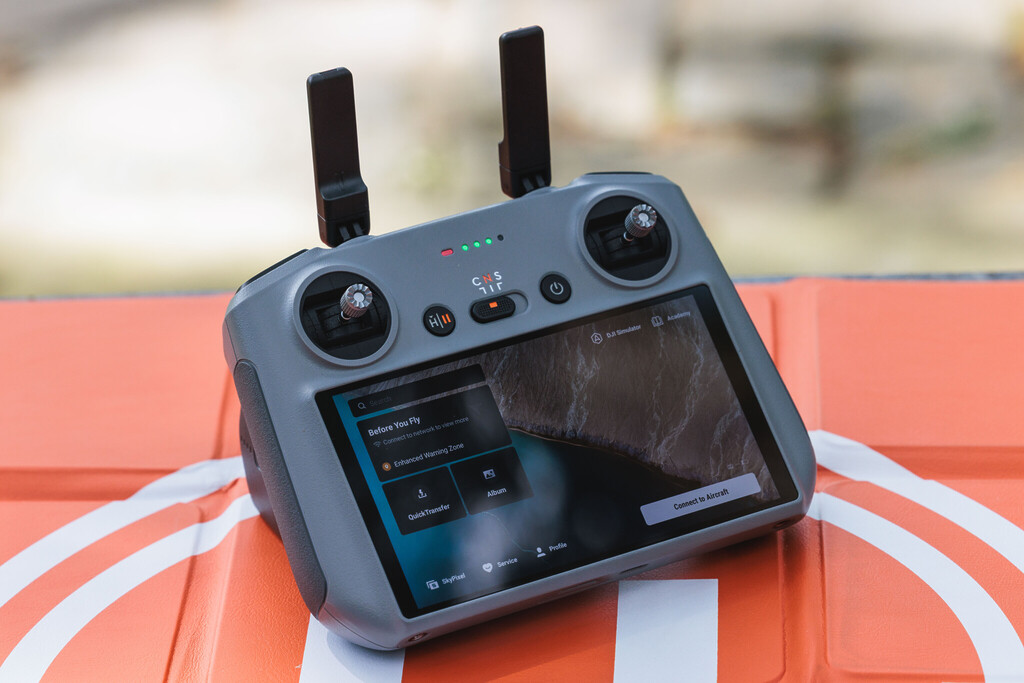
The DJI Avata 360 makes the most sense when the project benefits from its 360 capture.
In order of strongest use cases, we’d put it first for travel films, adventure content, tourism campaigns, social-first videos, solo creator shoots and experimental storytelling. These are situations where the scene may be unpredictable, where repeating the same path may not be practical, or where one flight giving you multiple usable perspectives can genuinely save the day.
It’s especially useful for solo creators, because you no longer need to be both pilot and camera operator in quite the same stressful way. The drone captures the world around it; you decide later what the viewer should see.
For commercial work, the Avata 360 can still make a lot of sense, but you’ll want to be clear about your workflow. If the final video needs fast delivery, strict framing, heavy cropping or very specific shot planning, you’ll have to factor in the extra reframing and export steps. That doesn’t make it a bad tool. It just means the creative payoff should justify the extra layer of work.
When used for the right kind of project, though, the Avata 360 feels incredibly compelling. It lets you worry less about whether one exact angle worked, and more about whether the flight itself had the movement, mood and rhythm you wanted.
Safety And Handling: Confidence, But Still Cautious

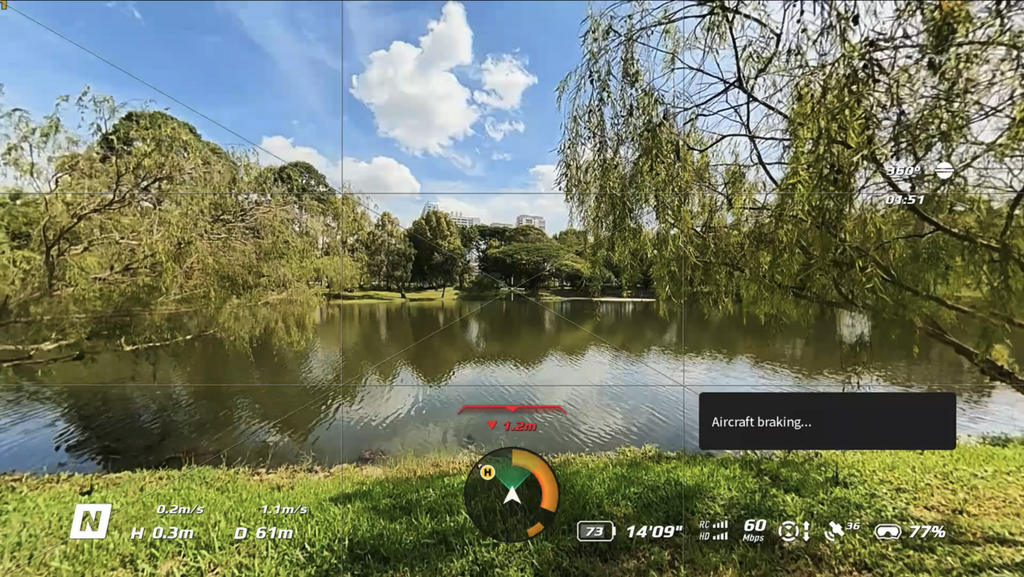
The DJI Avata 360 is designed to help pilots fly with more confidence. It comes with integrated propeller guards, omnidirectional obstacle sensing and DJI’s O4+ video transmission system, which all contribute to a more assured flying experience.
During testing, Leo found the Avata 360 comfortable enough for smoother cinematic flights. It doesn’t feel like the drone you’d pick first for aggressive FPV moves, but that also isn’t really the point here. The 360 camera encourages a more controlled, intentional kind of flying, where the flight path matters more than constantly chasing the perfect in-air composition.
That said, confidence isn’t the same as carelessness.
The Avata 360 may give you more safety support, but you’re still operating a drone. Environment, interference, wind, battery life and local regulations all matter. Before anyone gets too excited and starts planning a Marina Bay fly-by, please check the rules before you fly.
In Singapore, drone operations are subject to CAAS requirements, including registration rules, no-fly zones, permits and other restrictions depending on weight, location and purpose. The shot isn’t worth getting into trouble over, no matter how cinematic the skyline looks.
Who It’s For: This One Goes Out To The Creatives
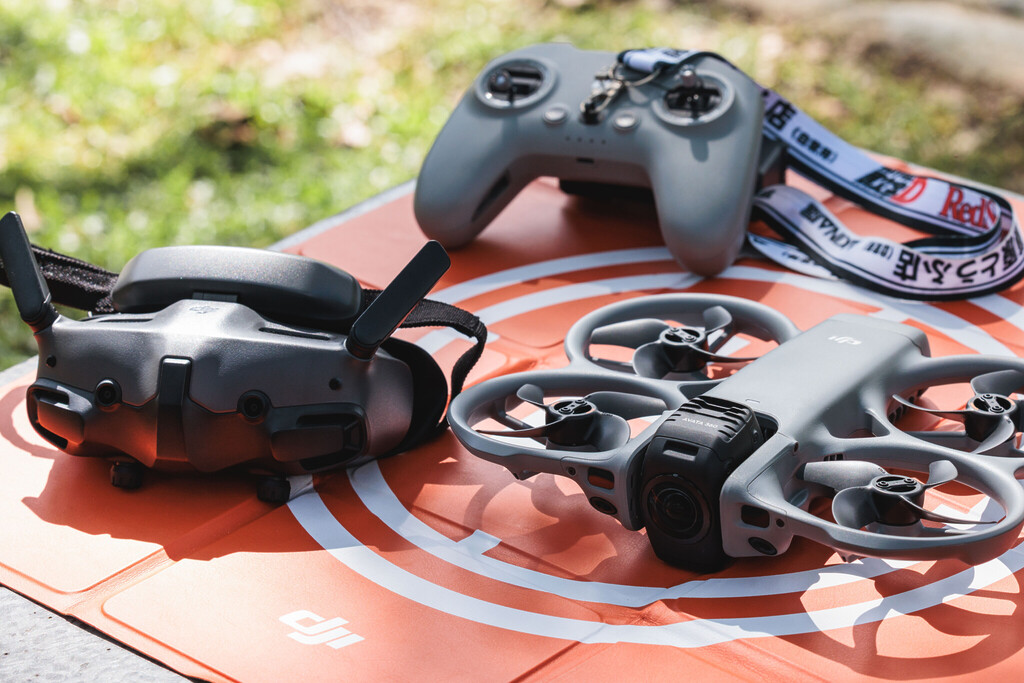
Simply put: The DJI Avata 360 is for creators who want flexibility.
If you’re a travel creator, adventure shooter, solo operator, social media creator or experimental storyteller, this drone has a strong case. It reduces the pressure of perfect framing during flight, gives you more room to rework angles in post, and opens up shots that would be difficult or impossible with a standard FPV camera.
It’s also a clever tool if you often work in places where repeating a flight path is difficult. Think fast-moving action, outdoor sequences, one-time travel moments or scenes where getting multiple angles without multiple flights can save you a lot of effort.
It’s not just for beginners, though. Experienced pilots surely would get a lot more out of it too, especially if they’re willing to think differently. The Avata 360 rewards smoother flights, deliberate pathing and a bit of post-production patience.
If you’re buying one, the question to ask isn’t just “Do I need 360?” It’s “Will I actually use the freedom that 360 gives me?”
If the answer’s yes, then this drone starts making a lot of sense.
The DANAMIC Take
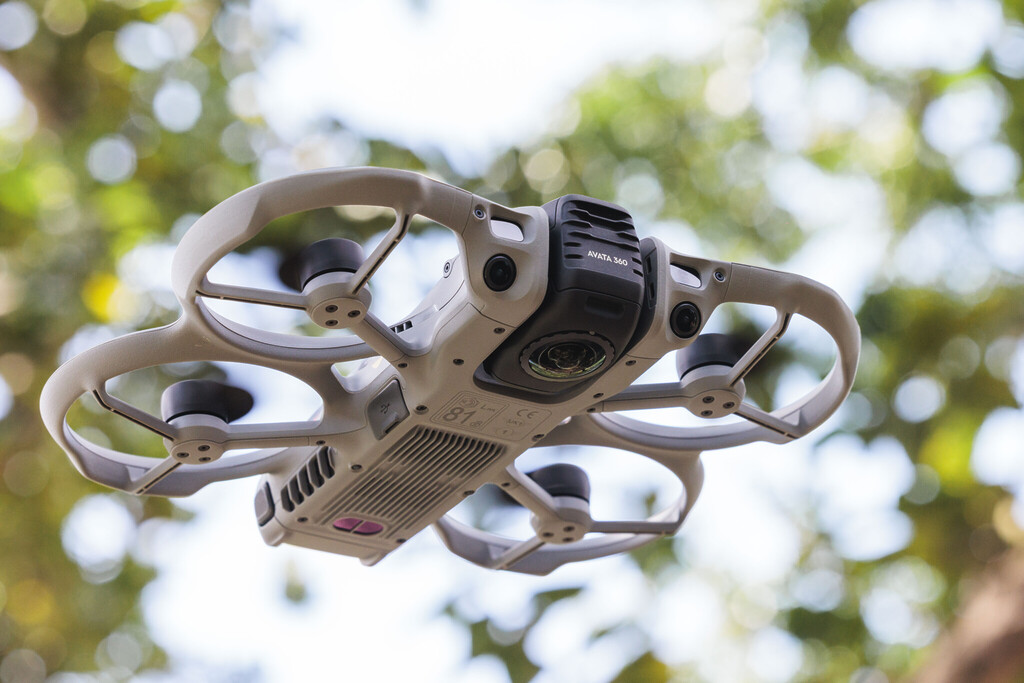
The DJI Avata 360 is one of the most fascinating FPV drones we’ve tested because it changes how you think about aerial shooting.
It rewards smoother flight paths over perfect in-air framing. It gives solo creators more breathing room. It can save shots that would otherwise be wasted. Most importantly, it lets one good flight become more than one usable angle.
The hitches exist, but they’re manageable if you understand what you’re signing up for. You’ll spend more time shaping footage after the flight. You’ll need to manage bigger files. You’ll want to avoid overly aggressive crops if detail matters. And in more demanding scenes, you may notice the occasional softness or stitching artefact.
But those aren’t dealbreakers. They’re workflow considerations.
So, should you buy it?
If you’re looking for a drone that lets you rethink your shot after landing, create multiple versions from one flight and explore a more forgiving kind of aerial storytelling, the DJI Avata 360 is an incredibly compelling tool.
It’s not the obvious choice for everyone. But for the right creator, it may be the drone that saves more shots than it misses.
Price And Availability
The DJI Avata 360 is available through online platforms including Shopee, Lazada, TikTok and Amazon, as well as authorised retail partners.
Local configurations include:
- DJI Avata 360 (DJI RC 2): S$829
- DJI Avata 360 Fly More Combo (DJI RC 2): S$1,029
- DJI Avata 360 Motion Fly More Combo: S$1,029
You can find out more via the DJI Avata 360 official product page, shop through DJI’s official online channels, or visit DJI Authorised Retail Stores in Singapore, including Jewel Changi Airport, Funan Mall, VivoCity, The Heeren and NEX.
Photos by Leo Chia of The DANAMIC Team.
-
-

-

-